The following is my submission for the interview design exercise. I have chosen to tackle the bicycle rental problem. I use a bike share system myself, so I am in the unique position of being the user I'm designing for. These mockups show a mobile application for a hypothetical bike sharing network.
The Design Brief
Some cities have bicycle rental services that allow both tourists and locals to rent bikes to get around and see a city. Design a digital experience to support such as service, including scheduling a rental, understanding pick up locations, and bike return.
Assumptions
The system
The bicycle network I am designing for is assumed to operate similar to the popular Bixi or Velib bike-sharing systems.
There are multiple bike stations throughout the city. Each station has a kiosk, and a
series of bicycle docks. To use the system, a user first needs to purchase a ‘pass’. A pass allows them
to take a bike from the dock, ride it, and then return it at any station.
The Fees
When a bike is returned, the user might be charged additional fees based on how long they used the bike:
0-30 minutes: no additional charge
31-60 minutes: +$1.50
61-90 minutes: +$4.00
each additional 1/2 hr: +$8.00
Problems
Stations are hard to find (off side-streets)
No bikes or no empty spots available at the station
Sketches
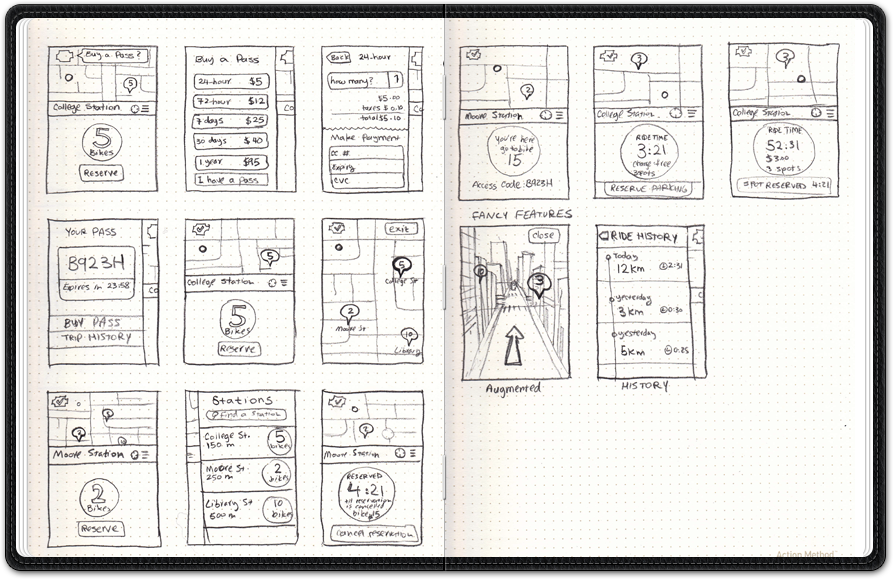
I started by thinking about how people use bike-sharing systems. I spoke with my wife (who uses the bixi bike sharing system more than I do) about her experience of using the system. I asked her to recall her most frustrating experiences. She told me about the times she couldn't return a bike because all the docks were full, or the times she could not find a station even when she had a map. Based on those, and my own experiences, I started sketching ideas, always thinking about things that a bike rider might find useful.
Typical actions when user is:
Walking
Buy a pass
Find a station
Reserve a bike
Riding
Keep track of time/cost
Find a station
Reserve a Dock
Wireframes
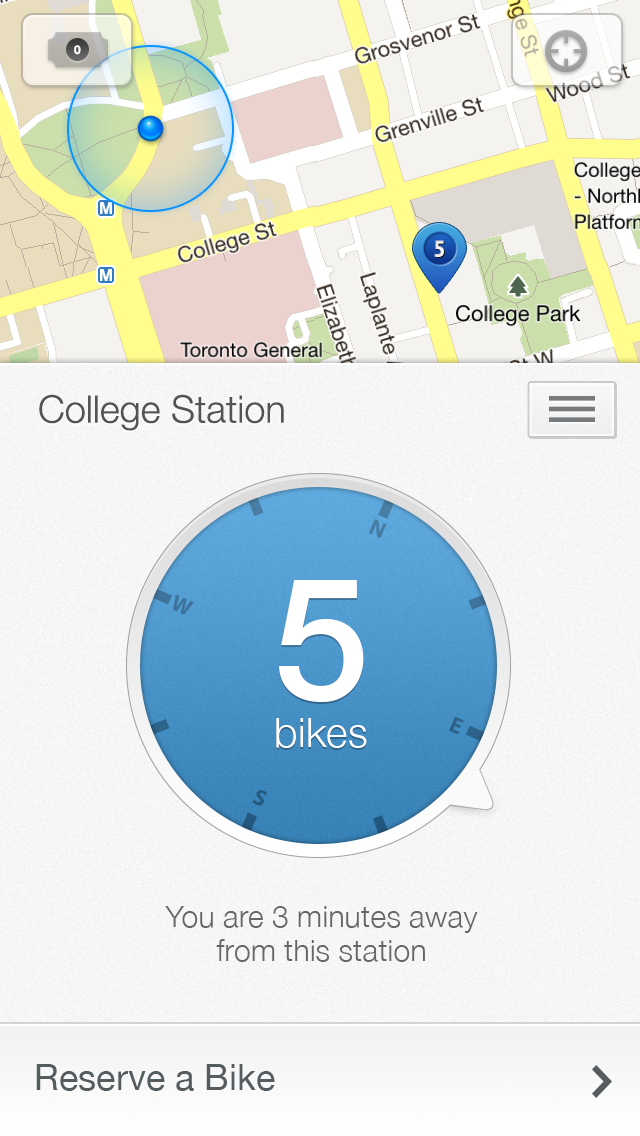
The following annotated wireframes show different parts of the BikeShare mobile application. They roughly follow the scenario of a new user who buys a pass, rents a bike, and then returns it.
Overview
On-boarding tips
Small tooltips can be used to guide first-time users through the main interactions, for example:
Buying a pass
Tapping on the pass icon on the main screen shows you the pass options. From there you can buy a pass. After completing the payment, you can view your pass-code. Most systems allow a maximum of 2 passes for each credit card, so I am following the same rule here.
Finding stations on the map
Tapping on the small map makes it full-screen. From there you can find other stations, tapping on any station selects it and takes you back to the main screen.
Finding stations in the list
From the main view, tapping on the list button shows the nearby stations. Users have the option of searching for a station. Tapping on a station in the list selects it, and the main view displays information related to the selected station.
Reserving a bike
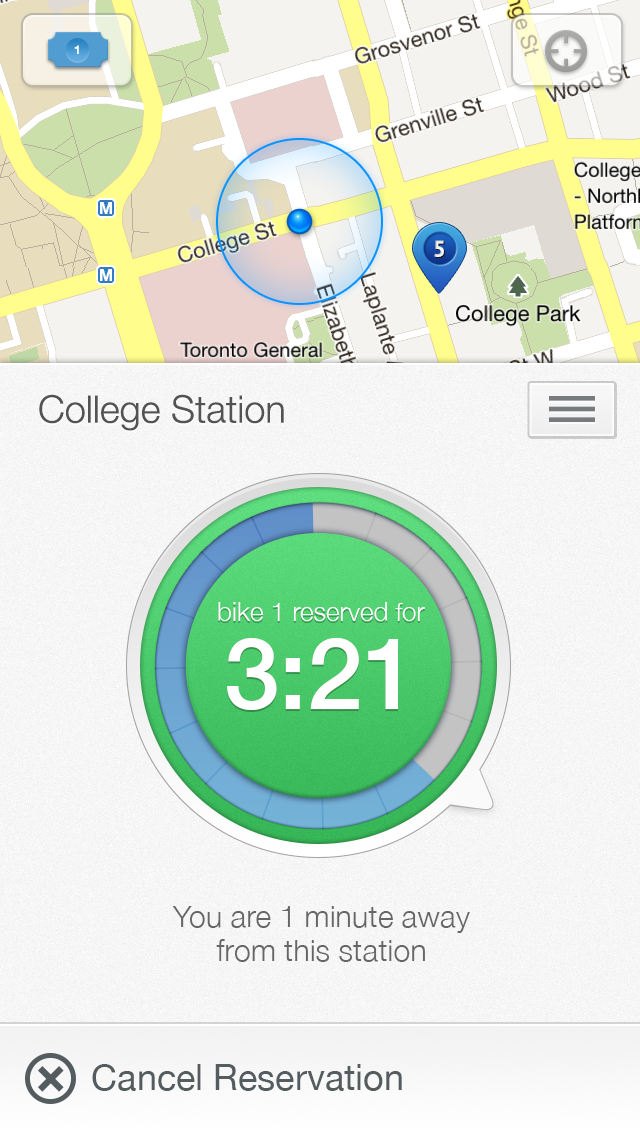
The system allows you to reserve a bike before you get to a station. You can view the station's docks and select any bike to reserve it. The bike is held for you for 5 minutes. Once you reserve a bike, the main context view changes to show you the remaining time until your reservation expires.
Taking a bike at the station
When you reach the station, the app automatically changes its context to show
your pass-code, so you can easily go to a bike and take it from the dock. Then the app changes its context to 'riding' mode, showing you current ride time, and the available docks in nearby stations.
Interactive Demo
Below is a rough interactive demo of the app. Click around to explore options. The app's context changes depending on one's location/behavior. To simulate this context change, use the buttons to manually change the context.